
Vehicle Compatibility
Add a button on product pages that opens the full tree of vehicles compatible with the part, using Mecaparts Vehicle Compatibility.
Overview
The Vehicle Compatibility extension is a Mecaparts feature that allows customers to view all vehicles compatible with a product. This extension adds a button on the product page, which opens a modal window displaying a detailed tree of all compatible vehicles for that specific product. It’s the perfect tool for customers to confirm compatibility before making a purchase.
Add the Vehicle Compatibility extension
To add the Vehicle Compatibility extension to your store, follow these steps:
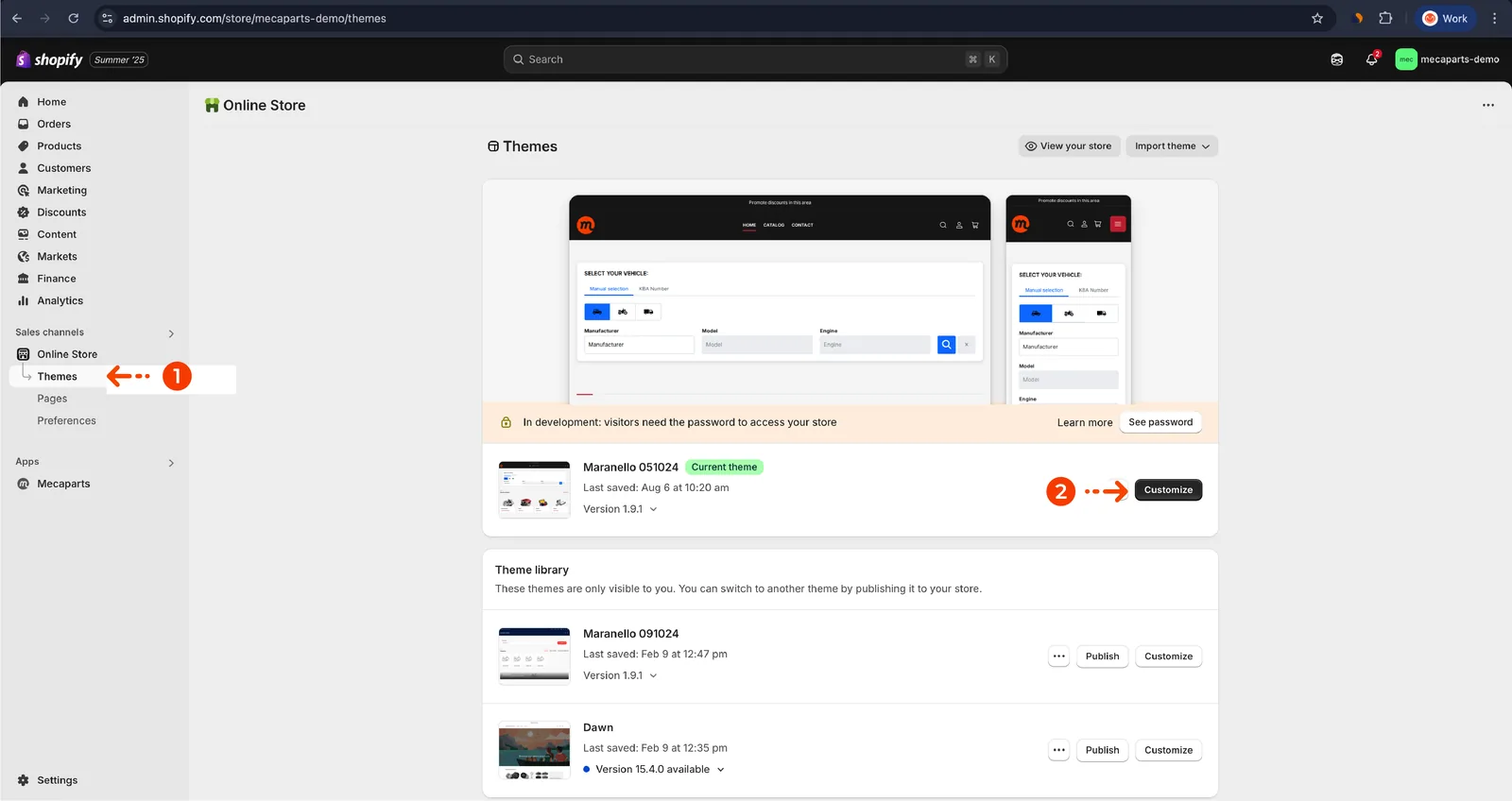
- Go to the theme customization from the Shopify Admin:
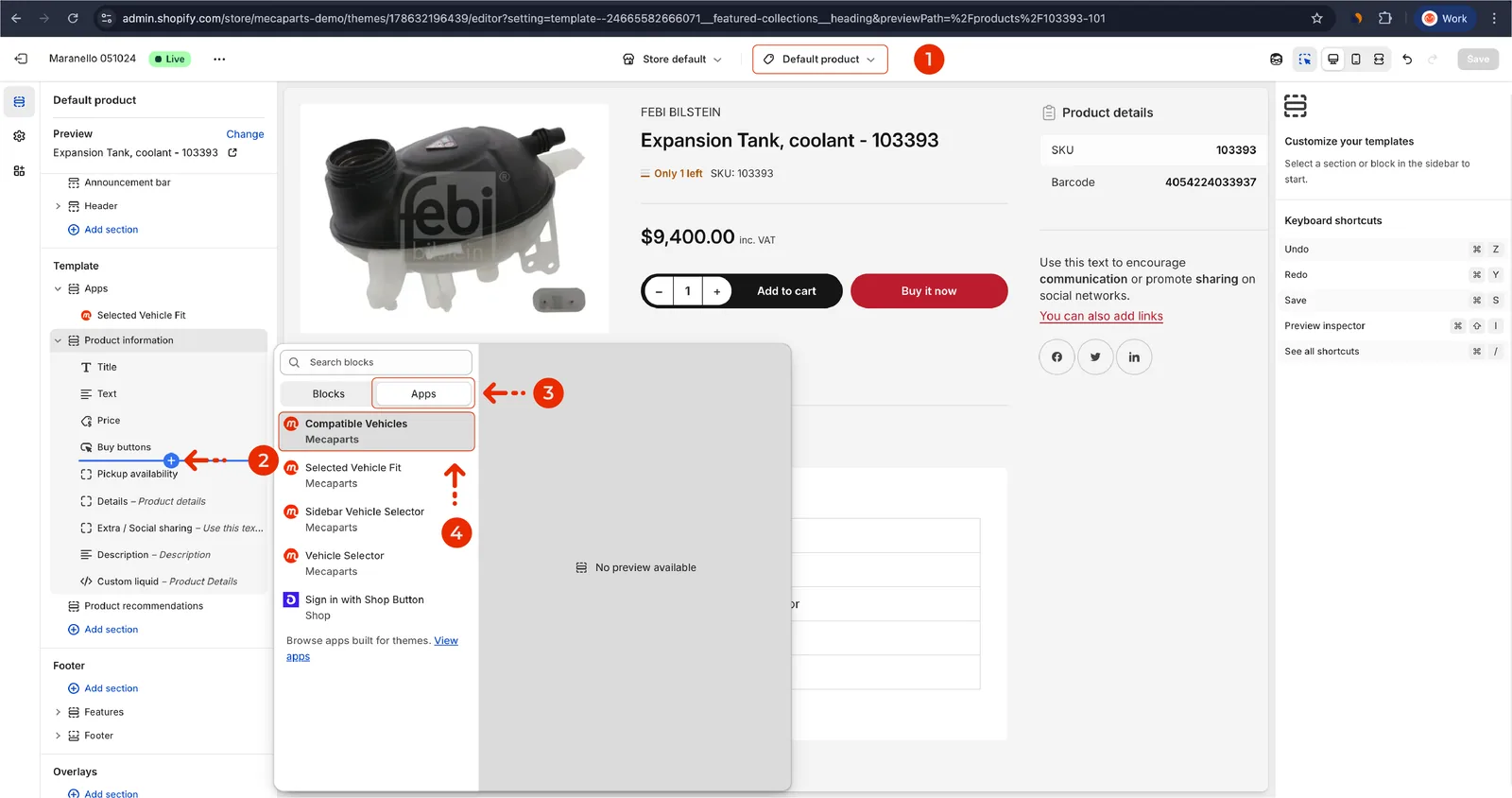
- Search and add the Mecaparts Vehicle Compatibility extension, as shown below:
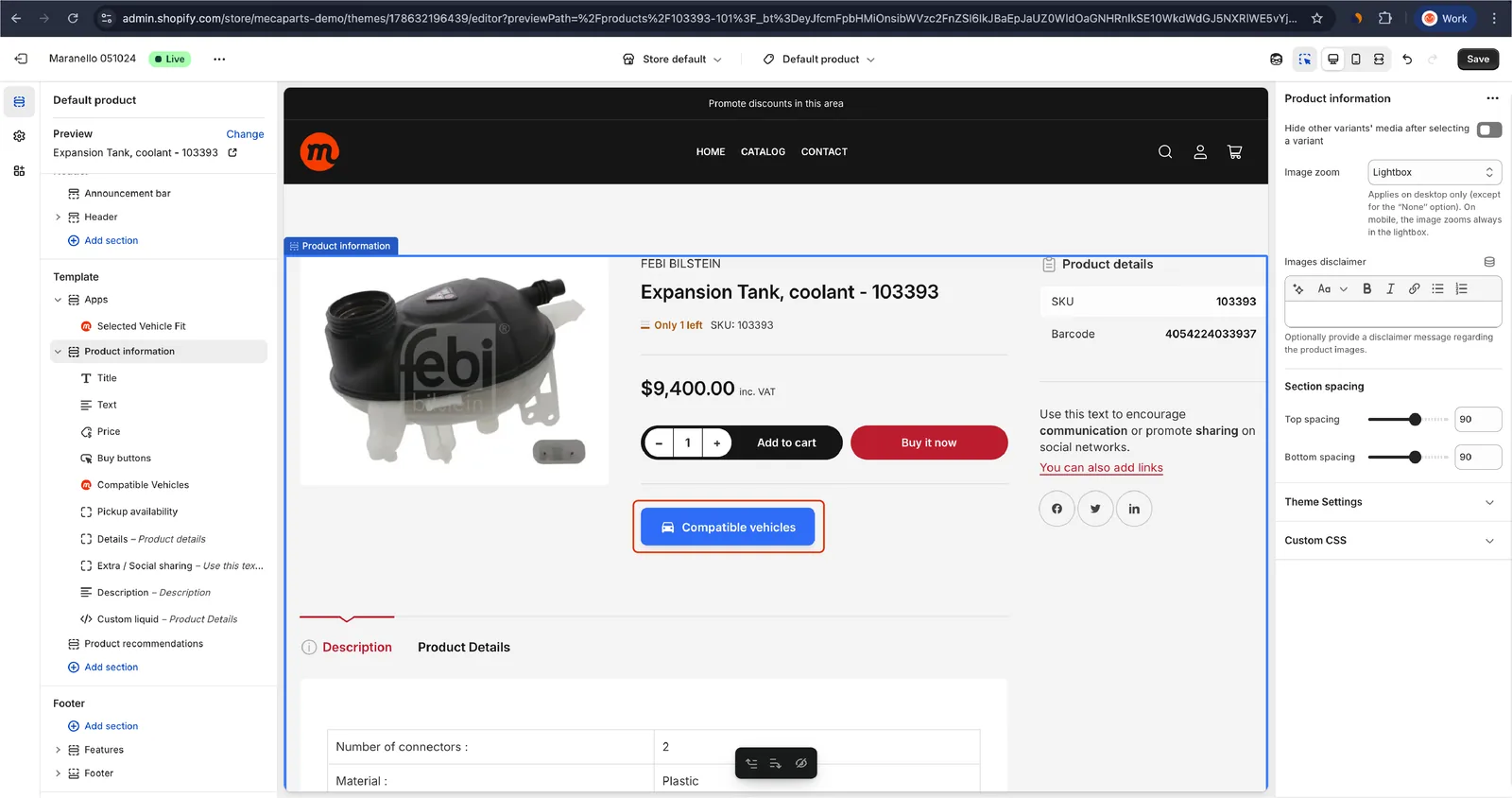
- The button is added to the product page. Customize its compatibility messages to match your store’s style:
How it works
- When a customer visits a product page, a Compatible Vehicles button appears on the product page.
- When clicked, a modal opens with a tree view of all compatible vehicles, as shown in the figure below :
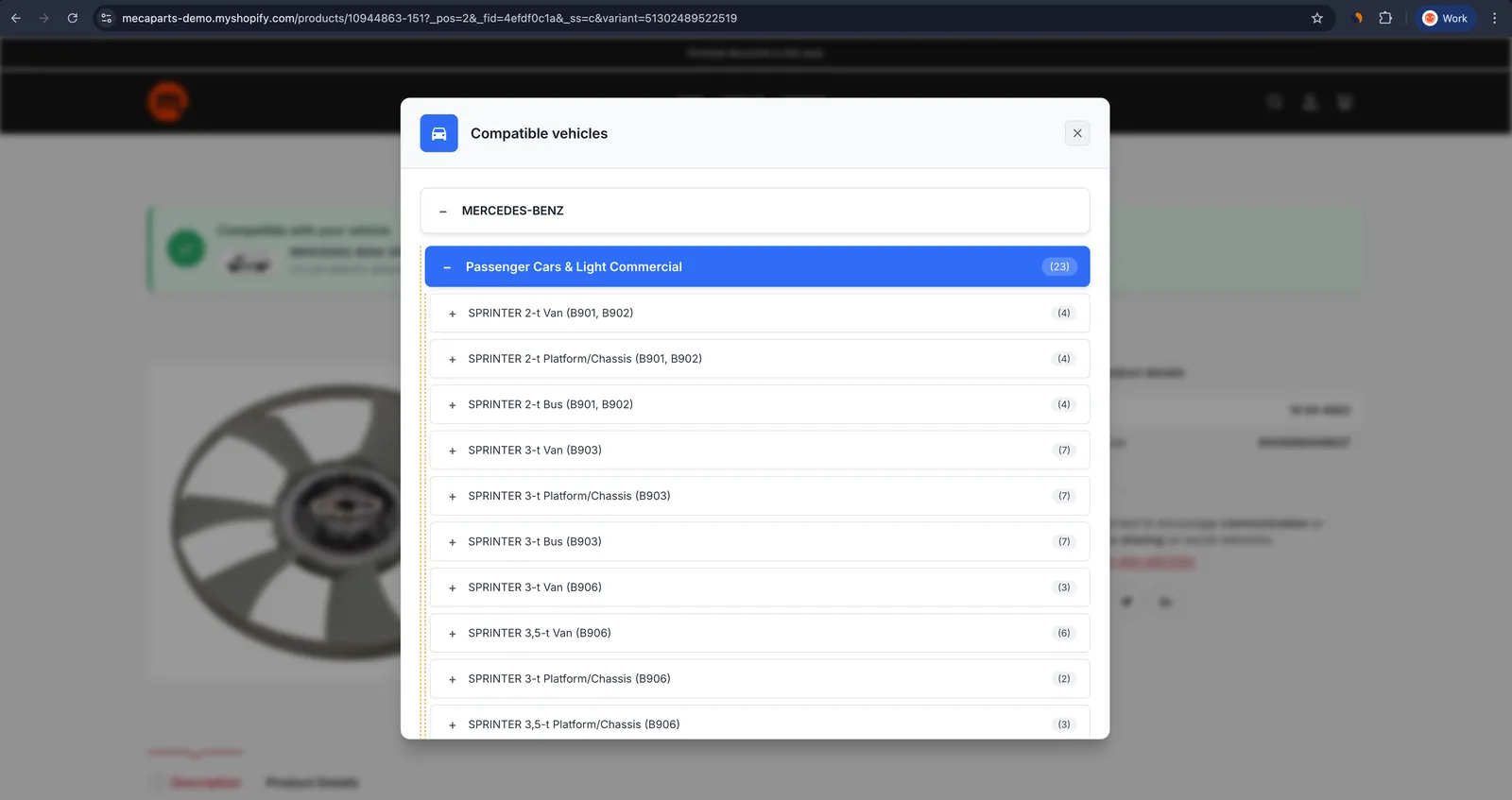
The customer can browse and search for their vehicle in this tree to confirm compatibility.
Why use the Vehicle Compatibility extension?
This extension is essential for stores with extensive product catalogs, ensuring customers can easily verify product compatibility without confusion.
Conclusion
The Vehicle Compatibility extension is a powerful tool for improving the shopping experience and ensuring customers find the right parts for their vehicles. By providing transparent and accessible compatibility information, you reduce returns and increase customer satisfaction.
Add the Vehicle Compatibility extension to your store today for a better, smarter shopping experience!