
Handle Import Errors
Understand the Mecaparts import report: every import error type, what causes it and how to fix it, plus tips to prevent errors.
Introduction
Overview
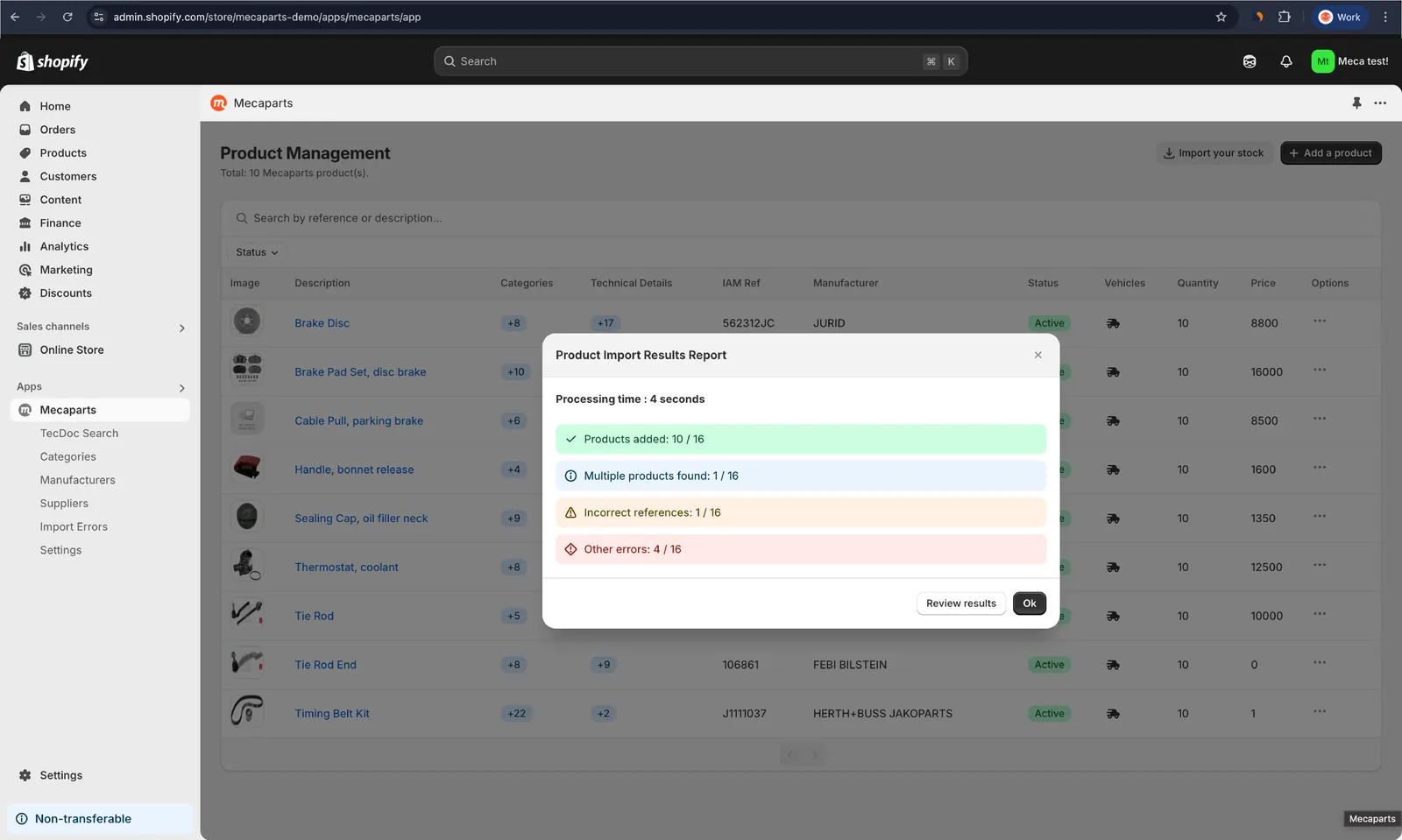
During the product import process in Mecaparts, some products might fail to import due to various reasons, such as missing or invalid information. Mecaparts provides a detailed error report to help you quickly identify and fix these issues.
Here’s an example of the Product Import Report:
Understanding the report
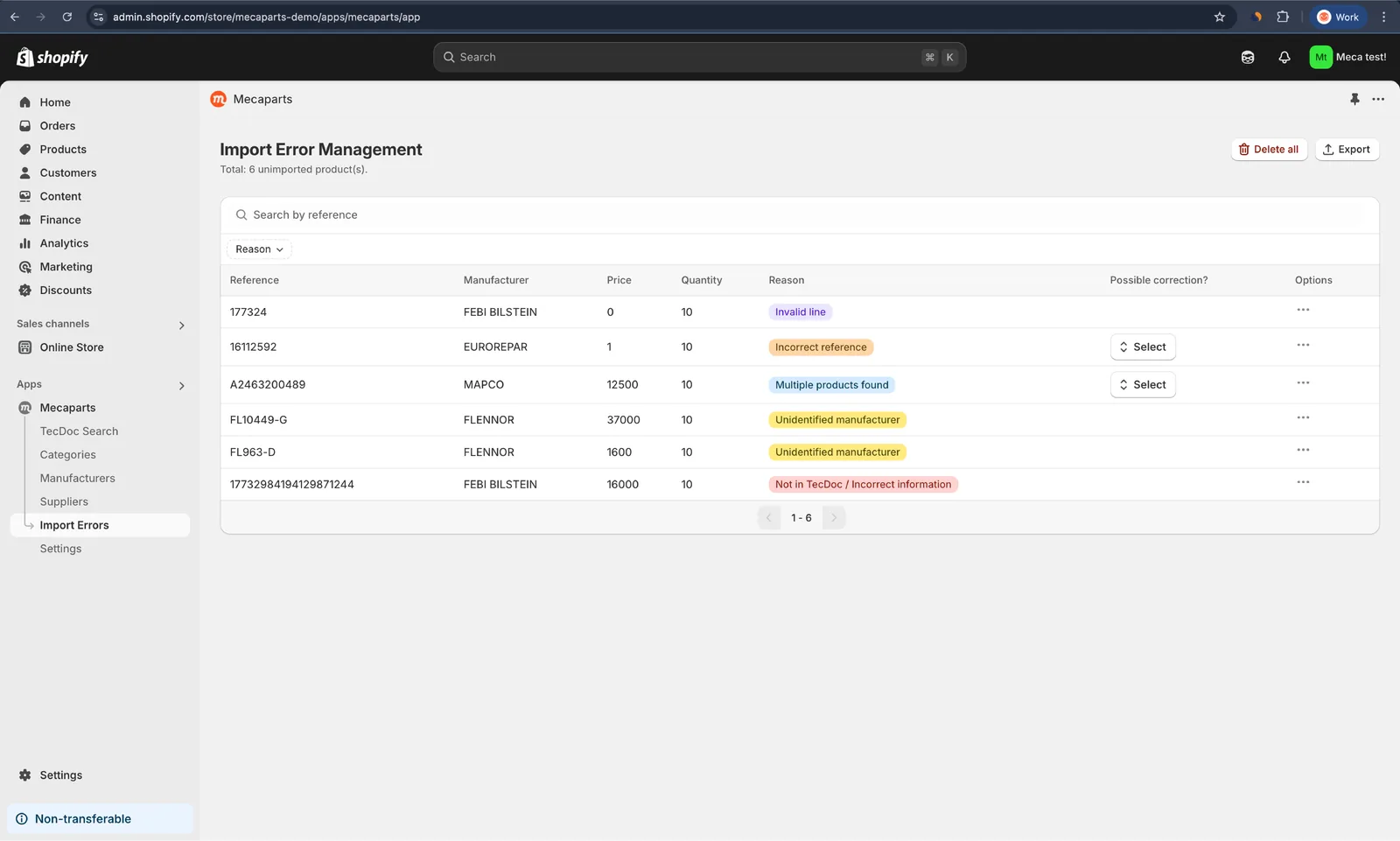
Import errors tab
On the Import Errors tab, you’ll find a data table listing all the products that failed to import. Each row provides essential information about the product and the reason for the failure. Here’s an example:
How to fix import errors
The following table lists all possible errors and how to fix them when a solution is available. Each error is assigned a specific color code, which you will also find in the table for easier identification.
| Error | Cause | How to fix it |
|---|---|---|
| Multiple Products Found | The same reference matches multiple TecDoc products. | Select the exact product from the provided list. |
| Incorrect Reference | The reference does not match any TecDoc entry. | Select the correct product from the provided list, if there are suggestions. |
| Unidentified Manufacturer | The manufacturer does not match any TecDoc entry. | Search for the manufacturer in the TecDoc Supplier List. If found, contact us to activate it for you. Otherwise, the manufacturer does not exist in TecDoc. Please make sure the spelling is correct. |
| Not in TecDoc / Incorrect Information | The product is not found in TecDoc. | Verify the reference. The reference you are looking for does not exist in TecDoc. Please make sure the spelling is correct. |
| Invalid Line | Some required fields are missing or incorrectly formatted. | Edit the line to fill in missing details. The fields articleNumber, price, and mfrName must all be provided. Also, ensure that the price is greater than 0. |
| Processing Error | A technical issue occurred during import. | Retry the import or contact support. |
Tips for preventing errors
- Use the provided templates: Always start with the official templates to avoid structural issues.
- Standardize manufacturer names: Ensure manufacturer names match TecDoc Manufacturer Names.
- Segment large files: For large imports, split files into smaller batches (no more than 1,000 products per file).
- Check before importing: Run a quick manual review of your file to catch common mistakes.
Export to XLSX, CSV or JSON file
Mecaparts lets you export these errors as a file, making it easier to review and correct them. Follow these steps to proceed:
- Click the export errors button.
- Choose the file format and the error types to include.
- Click export to download the file.
This is especially helpful when contacting our support team — we can assist you in fixing the errors more efficiently!
Help & support
If you encounter persistent errors or need further assistance, contact our support team at contact@mecaparts.app.